I build learning tools with AI, and I write here about how they're made, including what the AI got wrong and how I caught it.
I've taught English to adult learners for over ten years, and I spent about six years in UX research, design, and product strategy. I have an MS in User Experience & Interaction Design from Thomas Jefferson University. I keep learning about AI as it changes, and I learn best by building: each real project here helped me understand and consolidate what I was learning. These posts are dated, and I add new ones as the work and the tools change.
Scoring my own app: how filling out a rubric showed me what Bubbles needed
ClaudeClaude Code
Why I did this
Before redesigning Bubbles, my phrasal-verb game, I wanted a fair way to judge the version I had. Until now I'd caught problems by noticing them. This time I wanted a method I could repeat on every learning tool I build, that other testers could follow, and that would let me compare the game before and after a change.
My method: a scored rubric plus four open questions
I always pair two kinds of feedback. A formal rubric gives each criterion a score of 3 (Good), 2 (Needs edits) or 1 (Not usable), with a description of what each score looks like, so two people would give the same score. Then four open questions catch what the scores miss: What's working? What's unclear? What can be improved? What else should be considered? They work like the written rationale behind a rating: they say why, and what to fix.
The instructions for testers are simple: play the game twice, once on a laptop and once on a phone.
How the rubric developed
My first draft: three criteria. Intuitive to use, joyful on desktop and mobile, and checks answers correctly over three test runs.
Four criteria: Claude suggested splitting "joyful on desktop and mobile," because it measured two things, and describing what a learner does at each level. I accepted both. My first score was 8 out of 12.
Eleven criteria: I wrote a redesign brief for Lovable, then checked it against my rubric findings. Claude pointed out gaps, and when I asked what else was missing, it suggested more criteria, such as whether wrong answers teach and whether the game is accessible. I approved them, and two smaller ones were folded into existing criteria.
Ten criteria: feedback pointed out that "easy to restyle" can only be judged by reading the code, and my testers play the game. I moved it out of the tester rubric into a separate developer check.
Nine criteria: I removed "Accessible" from the tester rubric. Accessibility matters, but most of it can't be judged by playing one round.
One row reworded: "Low pressure, never stuck" became "Healthy pressure, never stuck," so a helpful timer no longer loses points automatically. My score on that row went from 1 to 2, and my total from 17 to 18 out of 27.
The rubric and my scores
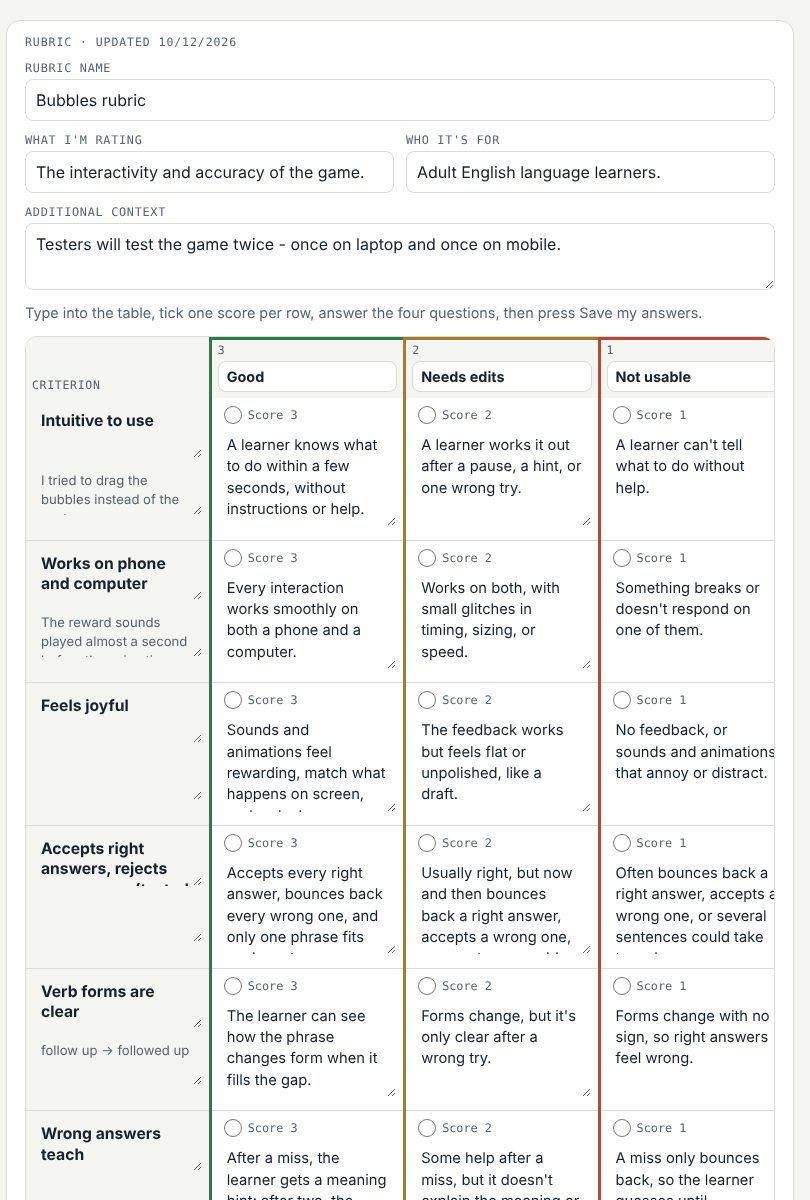
Criterion
What a 3 looks like
My score
Intuitive to use
A learner knows what to do within a few seconds, without instructions or help.
2
Works on phone and computer
Every interaction works smoothly on both a phone and a computer.
1
Feels joyful
Sounds and animations feel rewarding, match what happens on screen, and make learners want to keep going.
2
Accepts right answers, rejects wrong ones
Accepts every right answer, bounces back every wrong one, and only one phrase fits each sentence.
3
Verb forms are clear
The learner can see how the phrase changes form when it fills the gap.
2
Wrong answers teach
After a miss, the learner gets a meaning hint; after two, the answer is shown and saved for review.
2
Healthy pressure, never stuck
Any time pressure feels motivating, not stressful, and the learner can always pause, restart or exit.
2
Progress is visible
The learner can always see how close each bubble is to popping and how far through the round they are.
2
Natural content at the right level
Every sentence sounds like real American workplace English at the learners' level.
2
Total
18 / 27
I scored one round myself before moving the restyling row out. I haven't fully tested it on a phone yet, so "Works on phone and computer" is provisional.
Try the rubric yourself: play a round of Bubbles, then score it and answer the four questions. Nothing you enter is saved.
What the open questions found
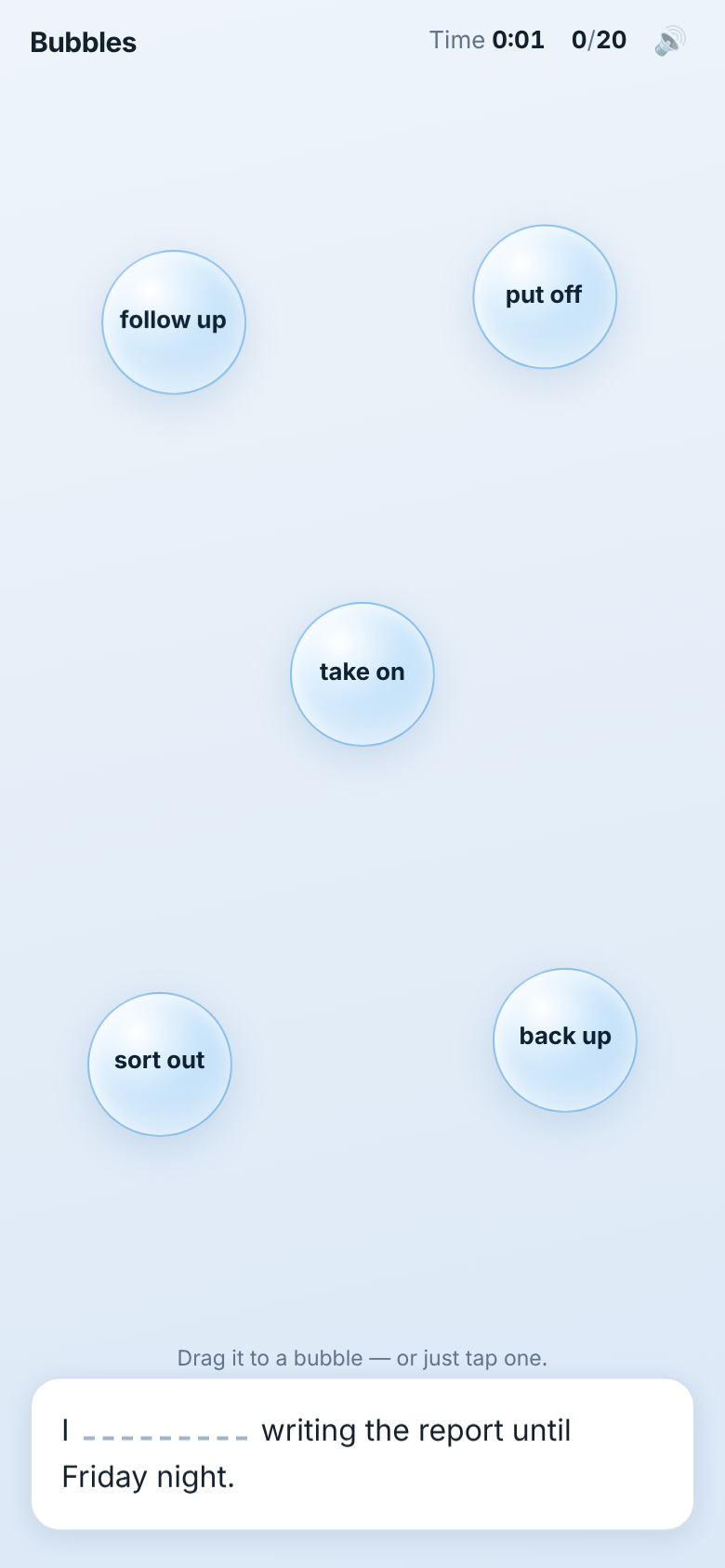
Unclear: I tried to drag the bubbles instead of the sentence at first. It isn't clear that the verb can change form. Sometimes a sentence could fit two bubbles.
To improve: the sound and overall sense of joy, bubbles that visibly grow, and more small interactions that show what to do, like a sentence card that lifts at the start and a bubble that lights up when the card is over it.
To consider: keep styling light, with colors and fonts in one place, because Bubbles has to match whatever app it sits inside.
Working: the basic game works, with sounds and some small interactions.
Where AI helped, and where I made the calls
I wrote the first draft myself and worked through it with Claude. Every change is logged with who suggested it.
The wording described a game that doesn't exist.The answer-checking criterion talked about marking answers correct or incorrect. Bubbles doesn't mark anything: it accepts right answers and bounces wrong ones back. I had it reworded to match what the game actually does.
I kept my own wording where it worked.For a score of 2 on "Feels joyful," I kept my phrase "like a draft," because it says exactly what I mean.
I turned down some suggestions.I was advised to split "Low pressure, never stuck" into a yes/no checklist and to rewrite what the rubric says it rates. I kept the 3-2-1 scale: some time pressure can be part of a good practice game, so it's a question of how much, which a score captures better than yes or no. Thinking it through also showed me the row was wrong: a 3 required "no visible timer," so a helpful timer would always lose points. I reworded it to "Healthy pressure, never stuck." The game didn't change, but its score did: under the old wording Bubbles got a 1 just for having a timer; under the new one it gets a 2, because the pace sometimes feels rushed and there's no way to pause mid-round. That points to the real fix: a pause button.
Getting fair scores from other testers
One person's scores aren't enough, so I built a small Rubric Builder app with Claude. A few rules came from me:
Testers score independently. They see the rubric and the instructions, but never anyone else's scores or answers, so no one is nudged.
No names. Each tester gets a letter, so nothing personal is stored.
Compare, then fix the wording. The app shows how often testers' scores agree, and highlights criteria where they're far apart. A big gap usually means the wording is unclear, not that a tester is wrong.
What a new tester seesBubbles, the version I scored · Play it
What's next
Other testers. Have at least one more person score it, and see where our scores differ.
The redesign. I tried Lovable first, then found that for a game that depends on feel, building directly with Claude Code worked better. I gave it my scored rubric, and iteration 2 is a clear step forward: a tip when learners drag the wrong thing, verb forms that show as they change ("follow up → followed up"), a card that wiggles to invite a drag, bubbles that glow when the card is over them, and American spelling throughout. I didn't stop at "it looks better," though. I checked iteration 2 against every point of my feedback and found 7 of 13 fully done. The rest, like bubbles that grow more visibly and lighter styling, are now my list for iteration 3. What I took from it: an AI won't always make every change you ask for, so a point-by-point check is part of the process.
Before and after. Score iteration 2 on a phone with the same rubric and compare it with this 18 out of 27. What it missed goes into iteration 3. I'll update this post when it's done.
Skills this shows
Writing a scoring rubric
Writing clear rater guidelines
Scoring with written reasons
Planning for consistent scores across raters
Reviewing AI suggestions critically
Usability evaluation
Personal project · Prototype
Free Talk: a personalized speaking coach for any learner
Claude CodeClaude APIDeepgramCartesia
The problem
I tutor an adult English learner at a beginner-intermediate level. We practice free conversation, often in a busy café. In a real conversation, mistakes go by too fast to write down, and afterward she has no record of what to work on.
There are speaking apps already, but none were personalized to her: her level, her interests, and the mistakes she actually makes. So I built a prototype that listens to her side of the conversation, keeps her exact words, mistakes included, and turns them into practice she can come back to. I built it around one learner first, but it adapts to any learner's level, interests and mistakes.
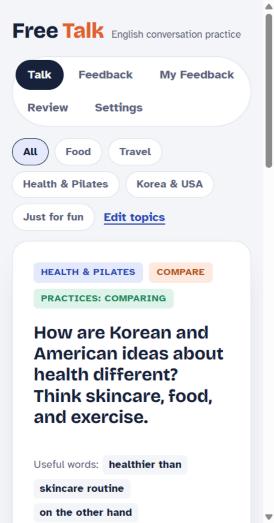
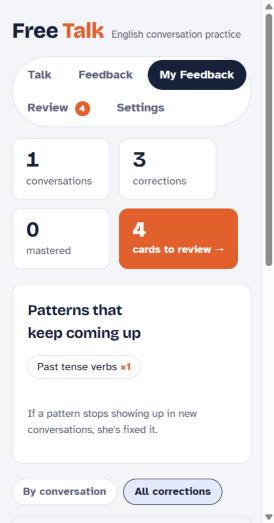
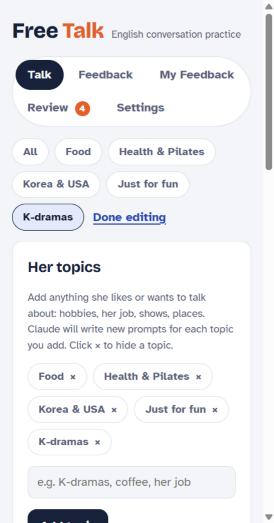
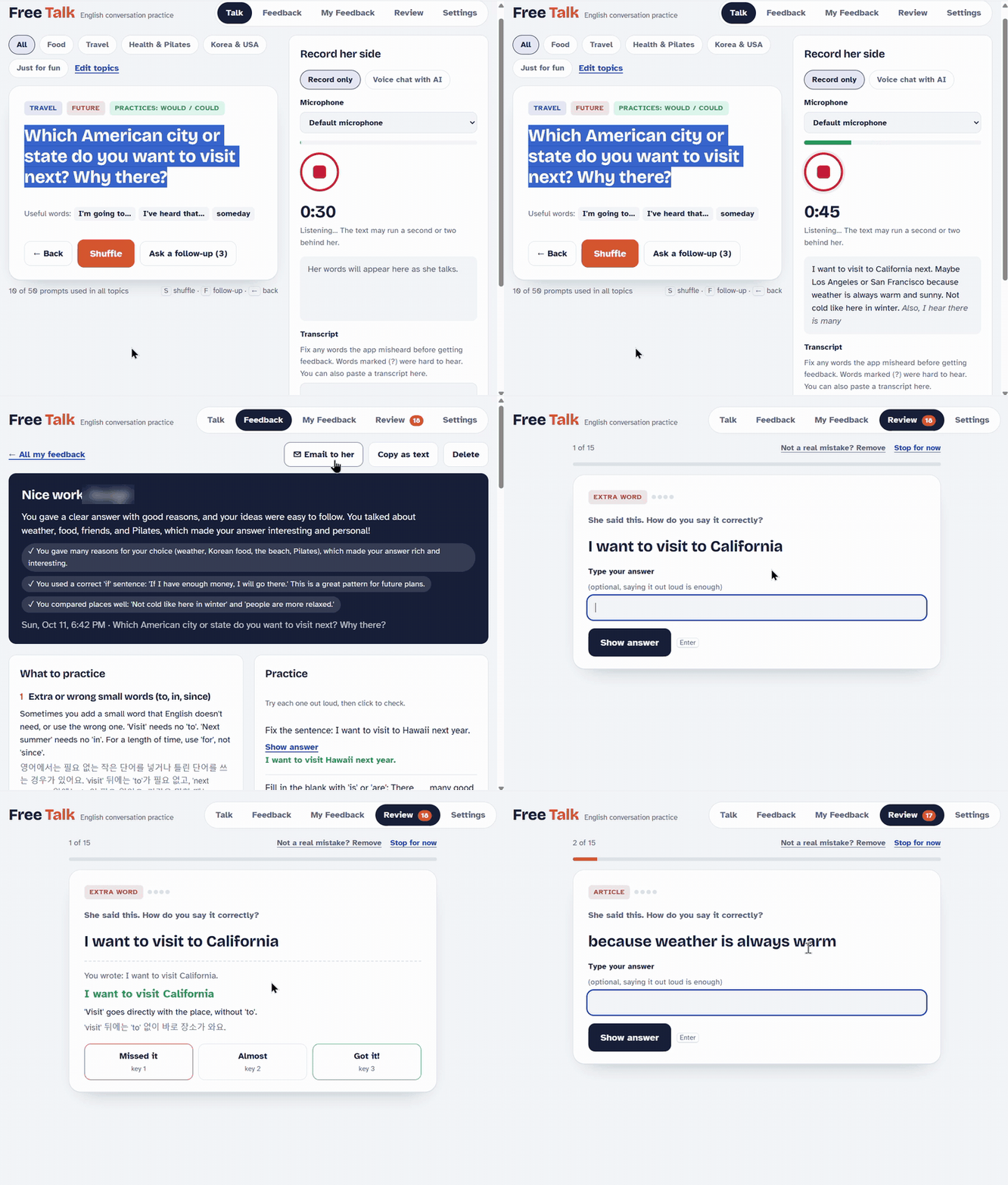
Prompt cards built around her interestsHer feedback notebook and review cardsAdd an interest, get new prompts
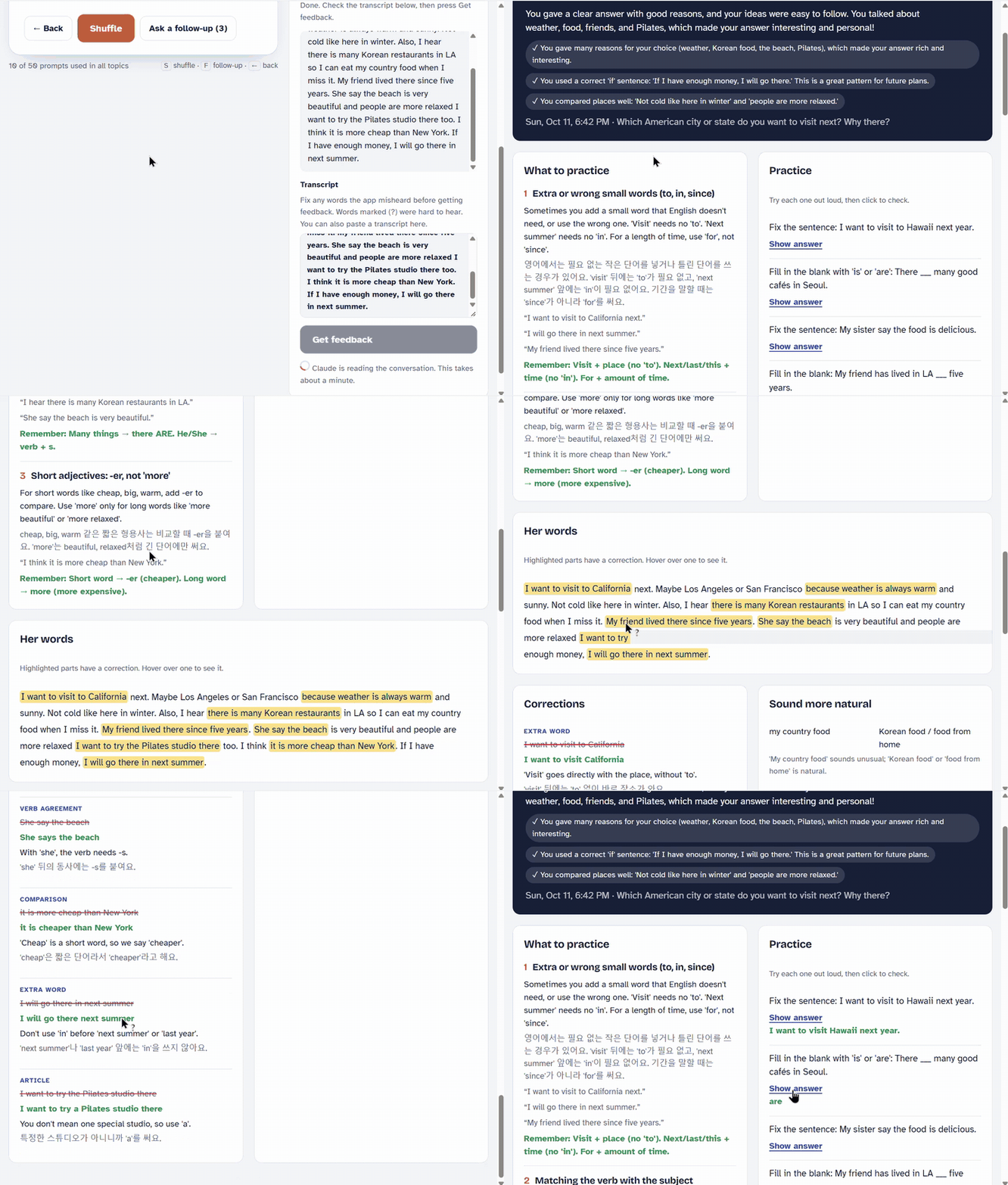
Live transcript and review cards (sped up)Grammar check: highlights, corrections and practice (sped up)The voice partner in conversation (with sound, press play)
The learner's name is blurred in the recordings.
Features
Free Talk is a single web page that runs in the browser on a laptop, with nothing to install.
Prompt deckOver 50 conversation prompts built around her interests: food, travel, Pilates, and differences between Korea and the US. They mix formats, like role-plays, would-you-rather questions and "teach me" prompts. Each comes with follow-up questions, useful words, and the grammar it practices. Shuffle through them with one button.
Editable topicsWhen she mentions a new interest, I add it and Claude writes eight fresh prompts for it. Topics she isn't into can be hidden.
Live transcriptHer headset mic streams to a transcription service, and her words appear as she talks. Words that were hard to hear are marked, and I can fix misheard words before asking for feedback.
Feedback in simple EnglishWhat she did well, her top recurring patterns, each correction with a short explanation, more natural ways to say things, and practice questions with answers. Explanations also come in Korean, her first language.
Prompts aimed at her weak spotsAfter each conversation, she gets new prompts that push her to use what she got wrong, like past tense if she keeps missing it.
Feedback notebookEvery conversation is saved, with patterns that keep coming up across sessions and a searchable list of every correction.
Review flashcardsHer own mistakes become flashcards. She says or types the correct version, then marks how well she knew it, and cards come back after 1, 3, 7, 14 and 30 days.
Voice partnerAn AI voice asks a question, listens to her answer, and replies with a natural follow-up. I have controls to pause it, have it repeat itself, slow it down, or tell it she's finished talking.
Email and cleanupI can send her the feedback by email, delete a conversation, or remove a single correction the mic got wrong.
How I used AI
I used Claude Code to build the app, and the Claude API inside it to write feedback, voice replies and new prompts. I set the requirements based on how she and I actually practice, tested each version myself, and decided what to build next.
Choosing the services
Deepgram to listen. Many transcription tools, including popular note-taking apps like Otter, quietly tidy up grammar, which would hide the very mistakes the app needs to see. Deepgram can keep her words exactly as spoken, including "um" and "uh." It also scores how sure it is about each word, so the app can mark unclear words and avoid flagging café noise as mistakes.
Cartesia to speak. I wanted the voice partner to sound natural, not robotic, and to answer quickly so the conversation doesn't stall. Cartesia focuses on expressive voices and can slow its speech down, which helps a beginner-intermediate learner follow along.
Claude to think. Claude writes the feedback, the voice partner's replies, and new prompts, all aimed at her level.
What the AI got wrong, and what I caught
Its tests passed, but recording didn't work.The AI tested the app in a browser with no microphone, so its checks couldn't catch the real problem. When I tried it, nothing recorded and no error appeared. The cause was my browser's privacy settings blocking the mic. Now the app always shows a clear message when recording fails.
It kept transcribing after I pressed stop.I noticed this when I tested it myself. Clicking the button again while it was still starting up launched a second, hidden recording that the stop button couldn't reach. The AI's tests had never tried an impatient double-click, which is exactly what people do.
The level was too high for her.When I ran a mock session on my own, the prompts and replies felt above a beginner-intermediate learner. That's the first thing I'll change before she uses it.
Decisions I made
Only her voice. She wears a headset with its own mic, so only her speech is analyzed and the café noise stays out.
Feedback she can absorb. Explanations are in simple English, and the report leads with her top three patterns instead of every small error.
Conversation first, corrections later. In fluency practice, good teaching keeps the conversation going and saves most corrections for afterward, so the learner isn't interrupted mid-thought. The voice partner follows that: it repeats her sentence back the right way, the way a good tutor does, and the full corrections come at the end.
No false lessons. In a noisy place, the mic can mishear a word, and the AI then flags a "mistake" she never made. I can remove any single correction, and it disappears from her review cards and emails too.
The teacher stays in the loop. The app never sends an email on its own. It opens a draft in my email app, and I read it and press send myself.
Skills this shows
Turning teaching practice into product requirements
Choosing the right AI service for each job
Testing AI output myself
Voice interaction design
Learning design
Plain-language writing
What's next
This is a prototype. I've tested it in mock sessions on my own, and she'll try it in a real session soon. Before then, I plan to:
Lower the level, or let the app adjust it automatically based on how she's doing.
Go further with personalization. Topics already follow her interests. Next is a personalization page for her level, interests and goals, so every prompt that comes up is relevant and interesting to her.
Add a privacy notice and consent step, so she knows how her voice and transcripts are used and agrees before recording.
Keep an eye out for the next version. After her first real session, I'll share what worked, what didn't, and what I changed in a follow-up post.
Personal project
Making English practice more joyful: a library of interactive learning components
Claude CodePerplexityLanguageTool
The problem
I teach English to adult learners and build self-study learning apps they use on their own. I wanted those apps to feel more joyful to practice with, and I didn't want to reinvent the interaction every time I started a new one. So I built a repository of interactive components for myself: a tested, documented library I can browse to pick the right interaction for each new app. It streamlines how I build every learning app that follows.
Five reusable components, each a single, lightweight web page that works on a phone:
Bubbles: a timed game. Learners drag a sentence (or tap) into the bubble holding the phrase that completes it. Right answers get absorbed and the bubble grows; wrong ones bounce back.
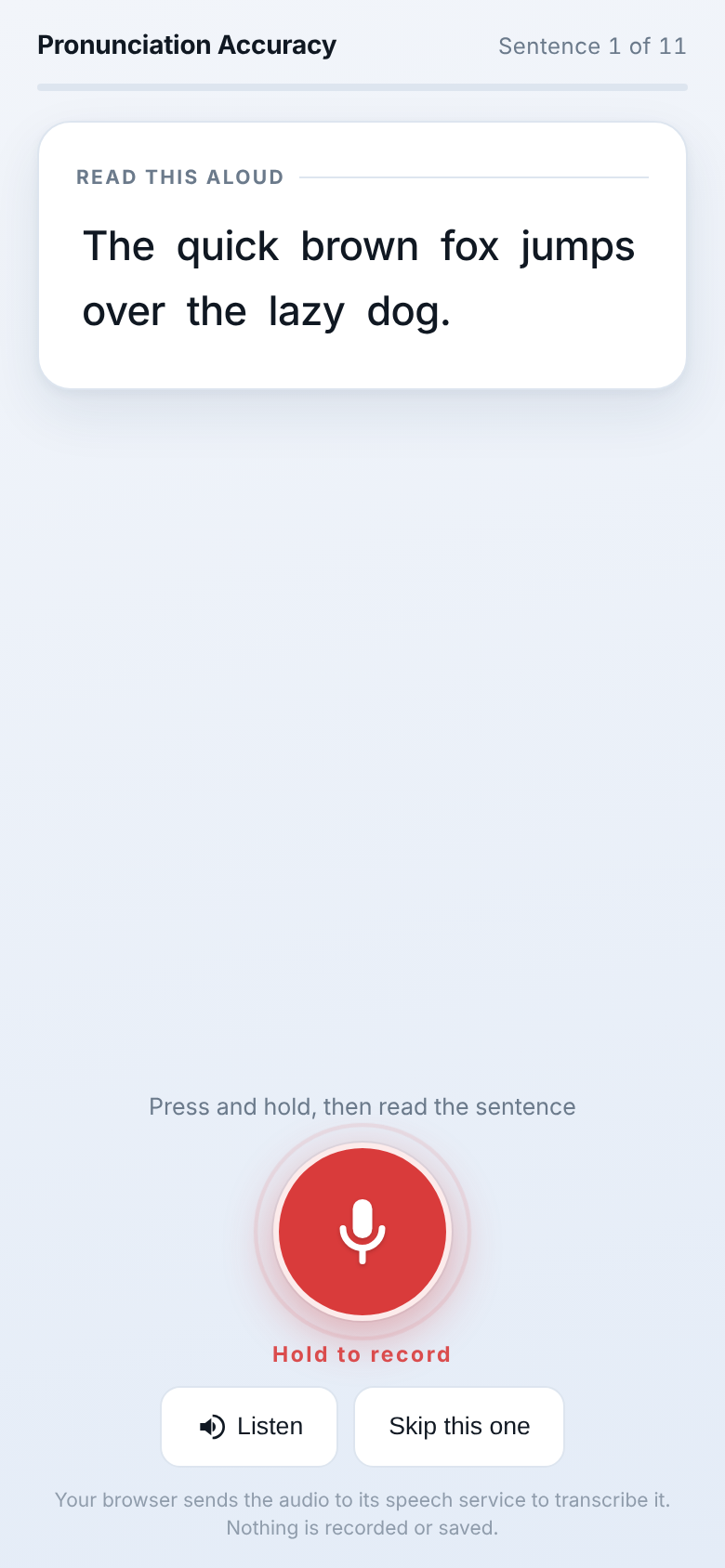
Pronunciation Accuracy: press and hold, read a sentence aloud, and see which words came through clearly.
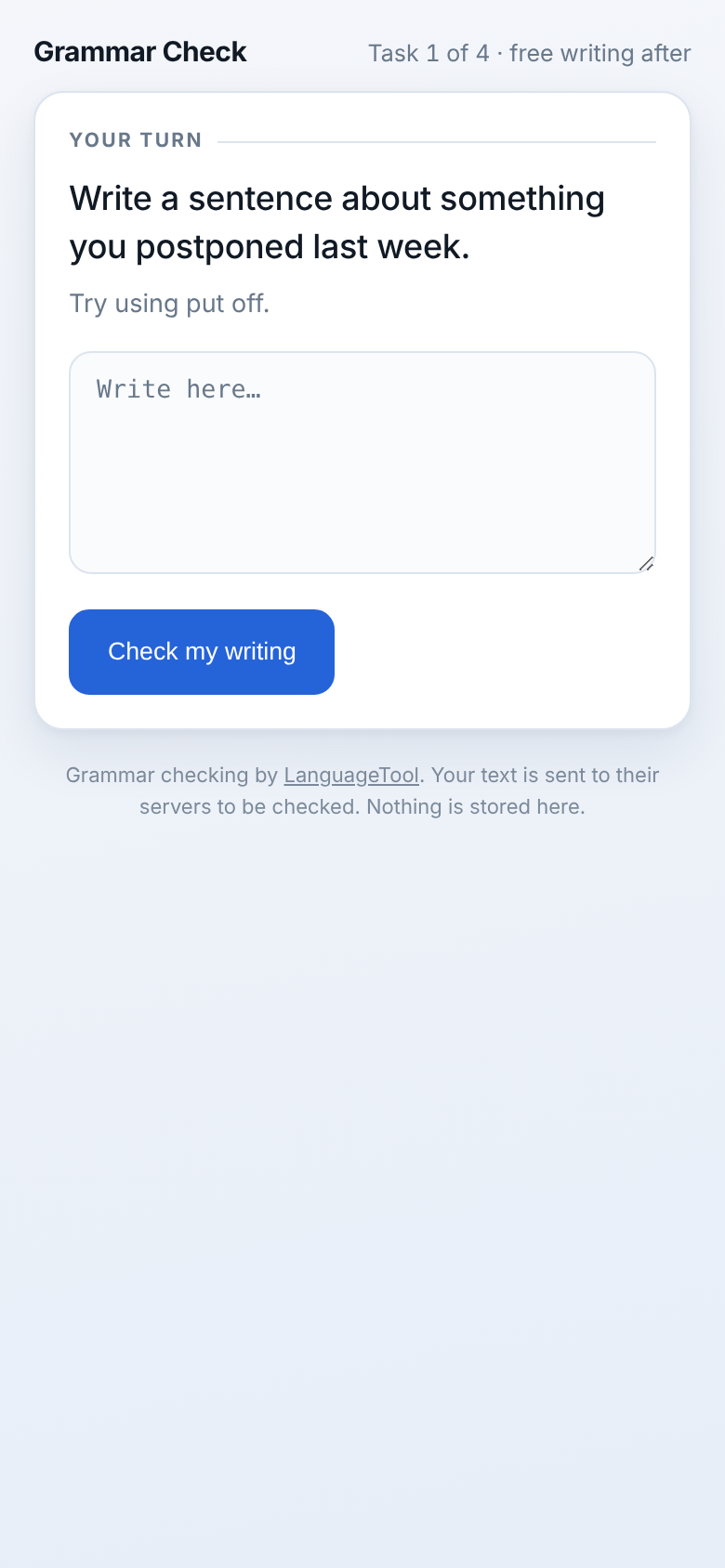
Grammar Check: learners write their own sentence and get mistakes marked in place, with suggested fixes.
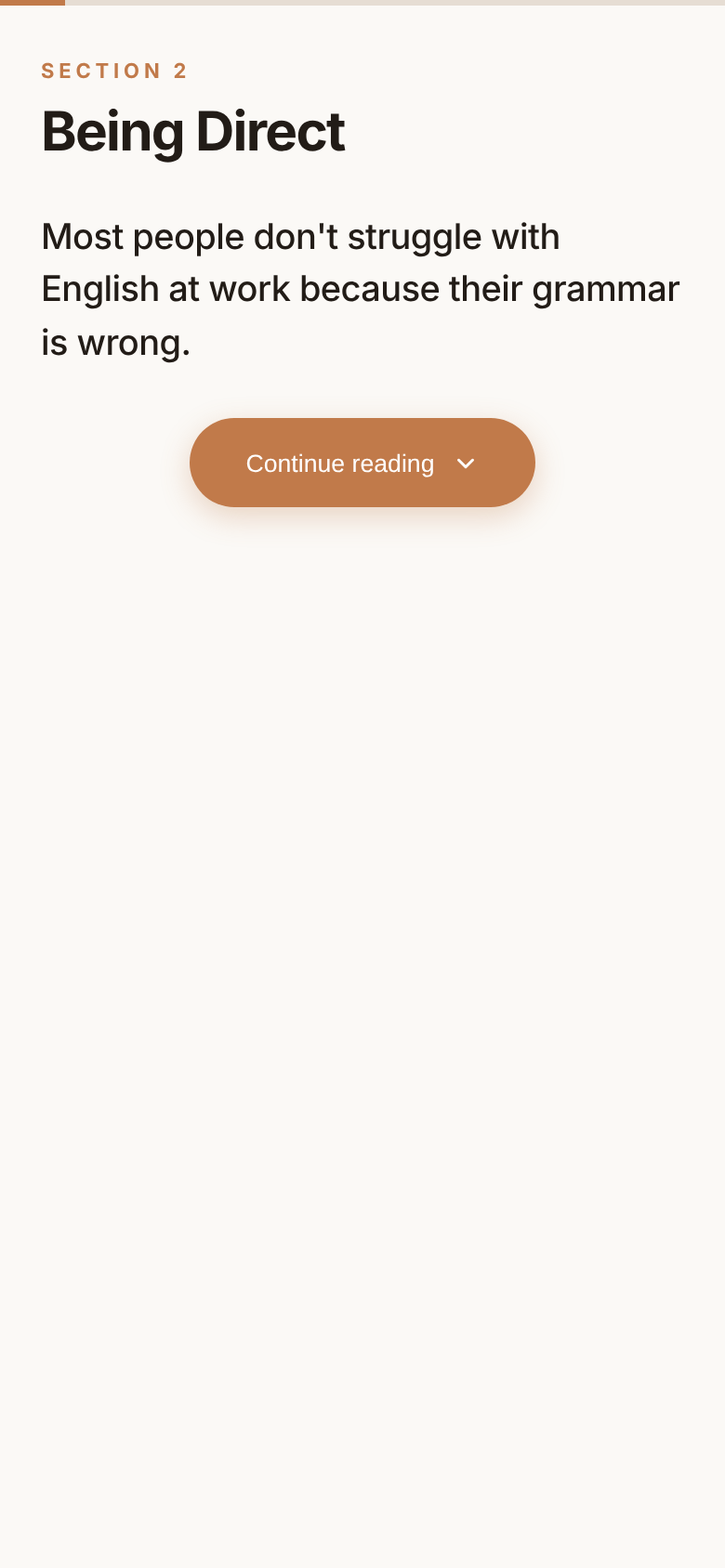
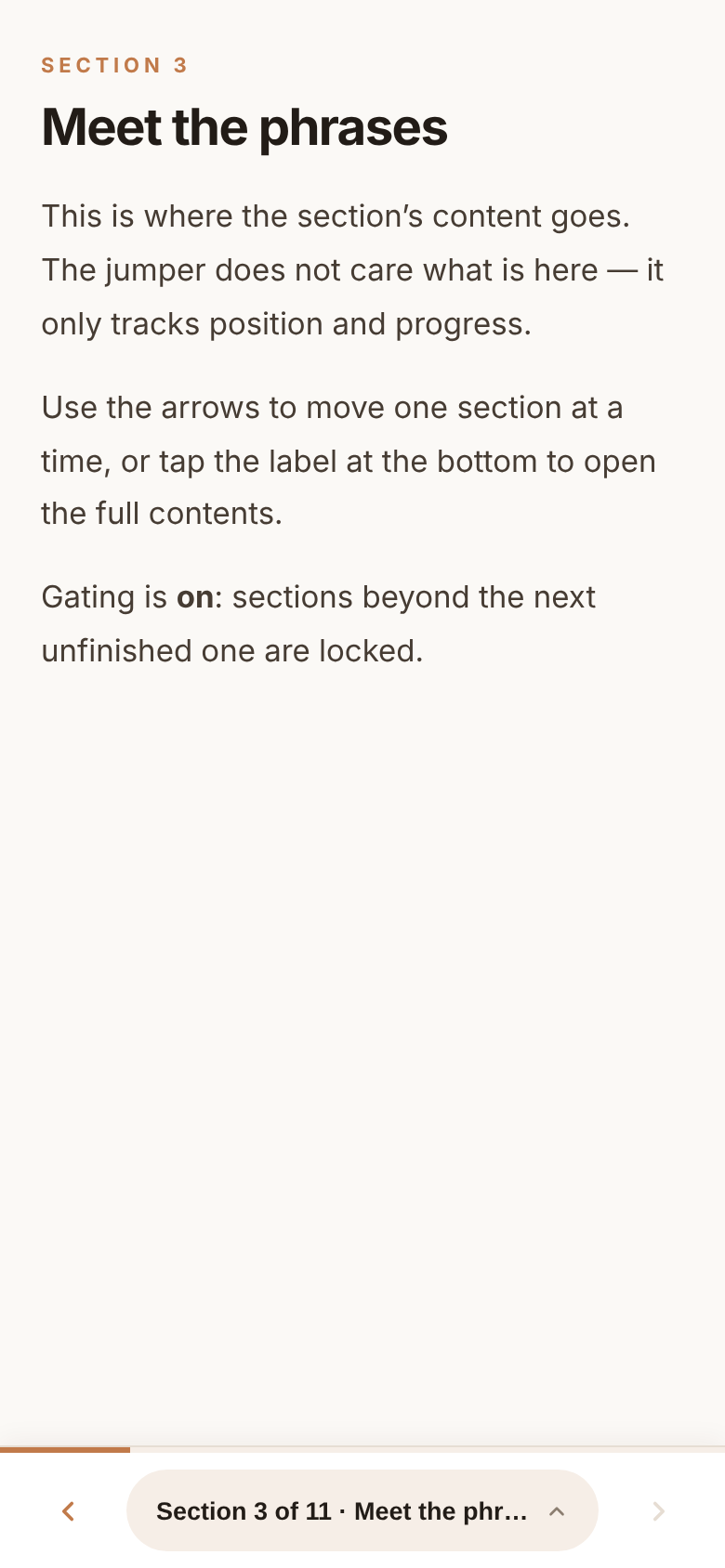
Progressive Disclosure and Section Jumper: structure pieces that reveal a lesson one step at a time and show learners where they are.
Progressive Disclosure: the lesson opens one step at a time · Try itSection Jumper: learners always see where they are · Try it
How I used AI
I used Claude Code to build and document the components, and Perplexity to research and refine the learner-facing wording. I acted as the product owner and designer: I set the rules, tested the results myself, and decided what shipped.
What the AI got wrong, and what I caught
It misunderstood the game at first.The first prototype missed my idea. I described the real mechanic, one sentence at a time with five fixed bubbles, and that version worked far better on a phone, because there's nothing to scroll past while dragging.
The sounds were out of sync.By ear, I noticed the reward sounds playing before the animation, one by almost a second. The AI's automated tests had passed because they only checked that the sound played, not when. We made it a standing rule: sounds fire from the animation itself.
It assumed a teacher would be there.One message told learners to check with their teacher. My products are self-study, so there is no teacher. I made that a permanent design rule: every limitation must come with something learners can do on their own.
Buttons were too small for thumbs.When I restated that everything must be mobile-first, an audit found four buttons the AI had already called finished that were under the 44-pixel minimum for a fingertip.
The microphone tool failed silently.When I tested it, it said "Didn't catch anything." The cause turned out to be the AI's own decorative sound meter competing with the speech recognizer for the microphone.
An error message blamed the wrong thing.When I tried Pronunciation Accuracy in my own browser, Brave, it said it needed an internet connection. My internet was fine. Brave turns off the speech recognition the activity uses, so now the app says that plainly and suggests Chrome, Edge, or Safari.
Decisions I made
Privacy first. I asked whether learners' recordings were being saved anywhere. They aren't, and I added a plain-language note telling learners where their audio goes.
No paid AI where it isn't needed. For grammar checking I chose a free grammar service over a paid AI model. In a test with five common learner errors, it caught all five.
Feel matters. I auditioned ten candidate sounds and picked the two that felt upbeat and short without being childish.
Skills this shows
Testing AI output myself
Writing rules an AI can follow
Designing for adult learners on phones
Instructional design
UX
Plain-language writing
What's next
Next, I'm giving Bubbles a friendlier, more playful look using Lovable, a second AI tool. I'll check that the new version still meets my standards for dragging, sound timing, and phone use. Then I'll test it with learners on real phones and compare it with the original: what they enjoy, where they get stuck, and what I'd change. I'll share what I find in a follow-up post.
I'll also keep adding to the repository as new learning apps call for new kinds of interaction. Each new component goes through the same rules and checks before it's ready to reuse.
Personal project · Used in lessons
Speaking Lab: practice for speaking on the spot, built from a learner profile
Claude CodeClaudeClaude API
The problem
I teach an adult professional who works in English. We worked through two books of workplace phrases I created. Then he filled out a learner profile so we could see where he still struggled. One weakness stood out: speaking on the spot. He knew the phrases, but in a real meeting he couldn't reach for them fast enough.
I also needed tools that save lesson-prep time and work in remote lessons, where I don't have a whiteboard and a digital one would slow us down.
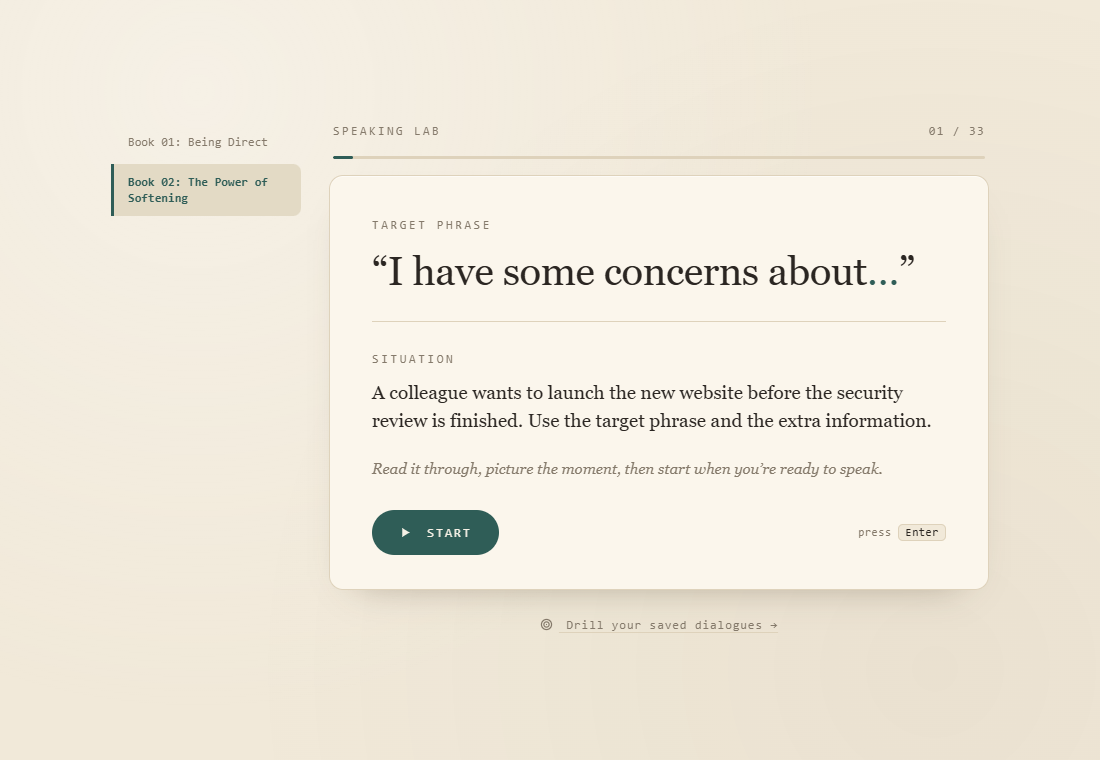
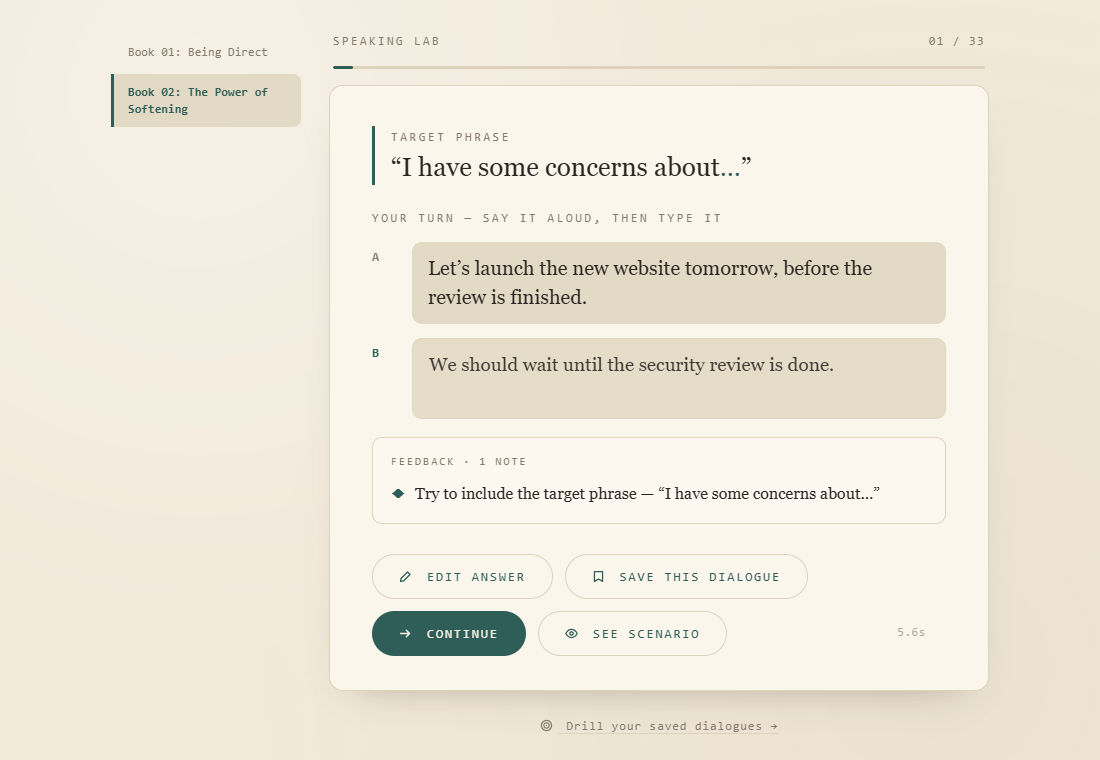
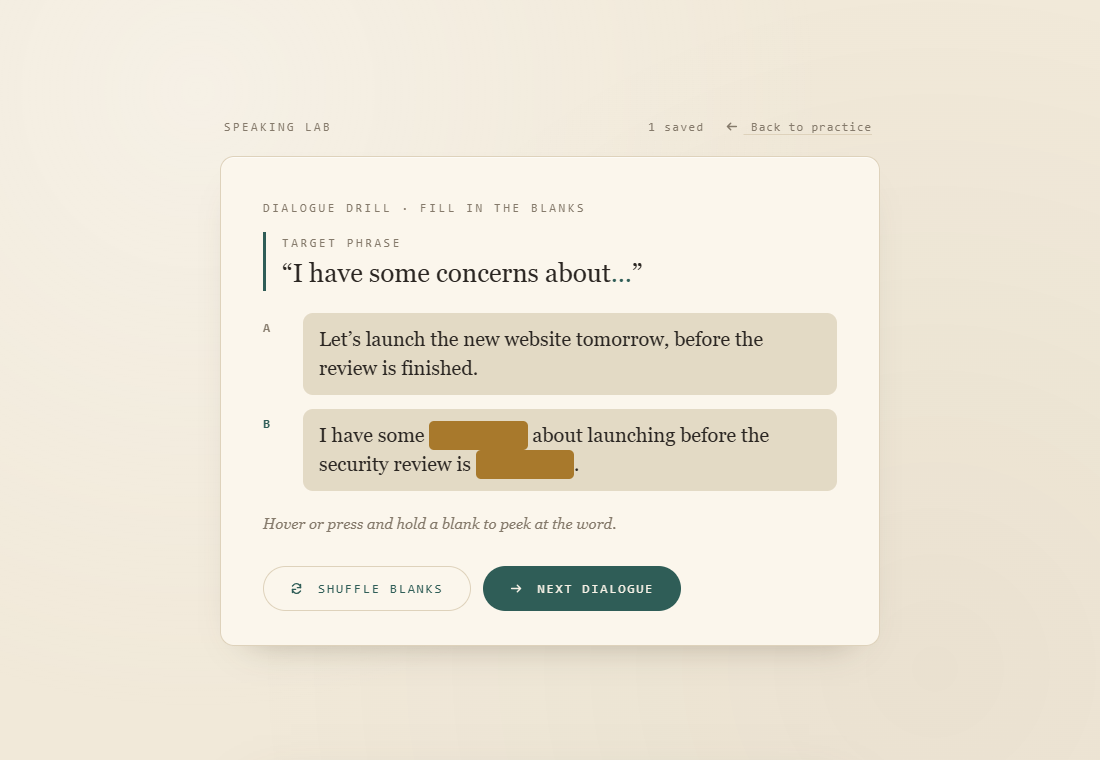
A phrase, a situation, then goA quick check on the replyDrill saved dialogues with blanks
One full round, from prompt to drill (sped up)
Try the Speaking Lab demo: a copy of the tool with the same practice scenarios. Nothing you type is sent anywhere.
What I built
Two tools I use alongside my lessons. Neither replaces the tutor. They give us something to work from together.
Speaking LabTwo phrase books, "Being Direct" and "The Power of Softening", with about 30 workplace scenarios each, shuffled every time. He reads a situation, answers a colleague out loud, then types it. A quiet timer tracks how fast he responds.
Instant checkA built-in check, with no AI and no cost per use, confirms he used the target phrase, including phrases in two parts like "I see your point, but… may…".
Example answersAfter answering, he sees his response time and a natural example, with the target phrase in bold.
Saved dialogues and drillsHe saves exchanges he likes, then drills them as fill-in-the-blanks. "Shuffle blanks" hides different words each time, so one dialogue gives many rounds of practice.
Printable worksheetSaved dialogues also show as a clean worksheet page for review away from the screen.
Dialogue Practice for teachersA second tool for my lessons. I enter target phrases and the students' level, and Claude writes four dialogues to choose from. It builds a phrase-matching warm-up and a drag-and-drop activity to put the dialogue in order. It uses a low-cost model and American English, and has an offline mode.
How I used AI
I used AI to help write my phrase books and to build the learner profile. With the profile, I kept his personal details out: no real name and no company. I built both tools with Claude Code. I set the teaching goals, reviewed the content, and used the tools in real lessons.
What the AI got wrong, and what I caught
The dialogues didn't sound real.Many AI-written dialogues for my books were unnatural, used British English, were at the wrong level, or had outdated phrasing. I sorted through them and rewrote what didn't work.
Some suggestions weren't good teaching.I had to push back on the AI and rely on my teaching background and what I know about how people learn.
A correct answer could be marked wrong.In a review for this post, I found the phrase check compared curly apostrophes (I’m) with the straight ones a keyboard types (I'm). So a correct "I'm certain that…" was told to include the target phrase. Fixing it is next on my list.
British spellings slipped back in.Even after I cleaned up the books, "practised" and "public holiday" were still in the app. It showed me the American English check has to happen every time.
Decisions I made
Built from his needs. The learner profile pointed to speaking on the spot, so the whole tool is built around answering quickly in realistic workplace moments.
A tool for the lesson, not instead of it. Both tools work alongside a tutor, so there's no AI voice. I'm the conversation partner.
No running costs where they aren't needed. The Speaking Lab's check runs in the page with no AI. The dialogue tool uses a low-cost model by default.
American English only. My learners live and work in the US.
How it went
My learner enjoyed the Speaking Lab and asked to use it during our lessons. Students have responded well to both tools in lessons. This is from my own lessons, not a formal study.